Schema Registry
Schema Registry lists your subjects. First, set the registry's URL in Settings → Schema Registry.
Select a subject to work with it. You can also delete a subject from its page.
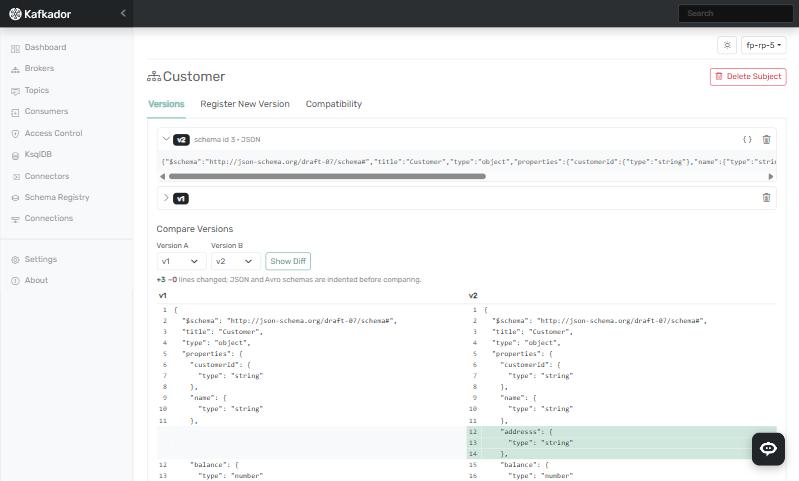
Compare versions
- Open the subject's Versions tab.
- Under Compare Versions, choose Version A and Version B.
- Select Show Diff.
Register a version
Open the subject's Register New Version tab, choose the Schema Type, enter the Schema and submit it.
Compatibility
There are two levels:
- Default: set it in Settings → Schema Registry → Default Compatibility Level. It applies cluster-wide to every subject that has no override of its own.
- For one subject: open the subject's Compatibility tab and use Set subject-level override.